Quick Start
For someone with a Cat Factory instance in front of them and nothing on the board yet. This walkthrough takes you from an empty board to a merged, agent-built pull request. If you have no instance, deploy one first: see Deploy to Cloudflare or Deploy to Node.js.
It is a map of the loop, with each stage linking to its own page. If you would rather be walked through one concrete run end to end, take Your First Task to a Merged Pull Request instead.
Prerequisites
Before you start, make sure you have:
- A running Cat Factory instance (backend + frontend).
- A GitHub App connected for authentication and repository operations (see Register the GitHub App).
- At least one LLM provider configured: your own
ANTHROPIC_API_KEY/OPENAI_API_KEY, or the Cloudflare Workers AI default (no key required). - A GitHub repository you want agents to work in (or let Cat Factory bootstrap a new one).
Self-hosting
The fastest path is the Cloudflare deployment. Apply the database migrations, deploy the worker, then build and publish the Nuxt frontend. Full steps are in Deploy to Cloudflare.
1. Sign in and open a workspace
Open your Cat Factory frontend and sign in with GitHub. You land in a workspace, the container for your boards, repositories, and budget. Create a new workspace or join an existing one if your organization already has them.
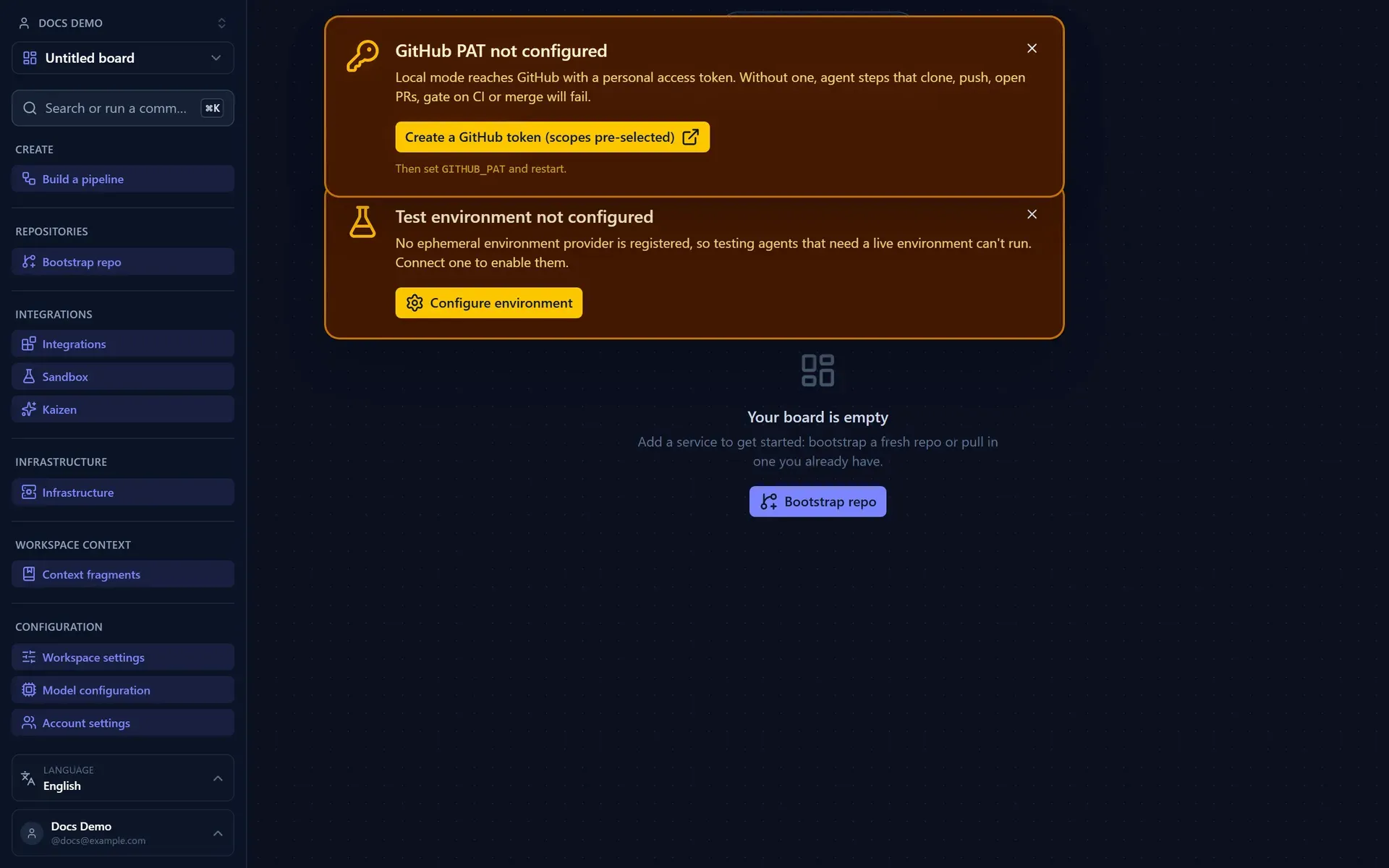
A fresh workspace opens on an empty board. The left navbar groups everything you do (Create, Repositories, Integrations, Infrastructure, Configuration), and setup banners point you at the few things a first run needs.
2. Create your board structure
On the canvas:
- Add a service frame for the system you're building.
- Add modules (subframes) inside it for major areas.
- Add tasks (leaves) for concrete pieces of work.
- Draw dependency edges where order matters.
Link the service to a repository, or use repository bootstrap to scaffold a new one from a reference architecture. See Design Your Board.
3. Attach requirements
Give a task enough context for an agent to succeed:
- Write a clear description, or
- Use the context picker in the Add-task popup to search, paste, or link an issue or document (Jira, GitHub Issues, Confluence, Notion, GitHub repo docs) and import it.
Then trigger the reviewer agent to surface gaps and risky assumptions, and answer its questions. See Clarify Requirements and Connect Issue & Document Sources.
4. Run an agent pipeline
Select a task and start a run:
- Choose a pipeline (e.g. Architect → Coder → Reviewer → Tester → Acceptance).
- Confirm the spend estimate against your budget.
- Watch the run stream live, and answer any decision prompts the agents raise.
Each agent runs on the model its kind draws from the task's model preset, set in Configuration → Model Configuration.
See Run a Pipeline.
5. Review and merge the pull request
The coding agent clones the repo into an ephemeral container and implements the task, committing to a deterministic branch; Cat Factory then pushes it, opens a pull request, and drives CI. The Tester, Conflicts Gate, CI Gate, and Merger steps validate and prepare the PR.
You review the PR like any other. When you merge, the block flips to Done and the board updates in real time. See Review and Merge Pull Requests.
The full loop
Design board  →  Attach requirements  →  Run pipeline  →  Review PR  →  Merge  →  Block Done
     ▲                                                                                  │
     └──────────────────────────  iterate on the next block  ◀──────────────────────────┘
That's the whole cycle.
Next: walk one concrete run end to end in Tutorial: Your First Task to a Merged Pull Request, or start on the guides with Design Your Board.